Facilities and support
Workspace for Food Business Owners in a Rented Kitchen
Running a food business is not only cooking. Here is what to ask about desks, Wi-Fi and admin space around the kitchen.
Free to inquire. We reply by email, usually within one business day.
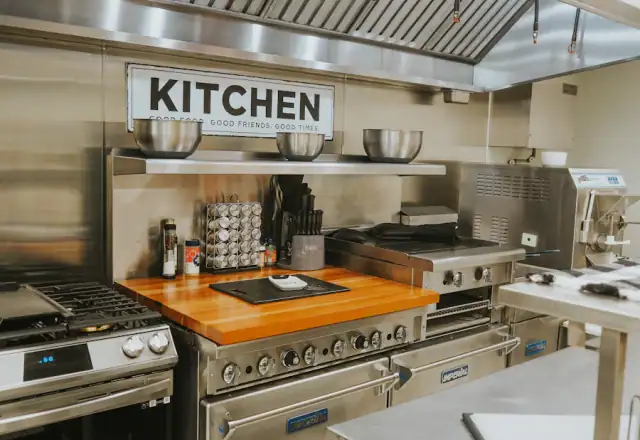
Business workspace in a rented kitchen means a desk, reliable Wi-Fi, meeting space and permission to do admin such as ordering, bookkeeping and customer calls on site. Ask what is provided, when it is available, whether it is shared and what business use is permitted by the operator and your local rules.
Why workspace beside the kitchen helps
Food founders do a surprising amount of paperwork: supplier orders, invoices, labels, schedules and customer messages. Doing this at the kitchen saves trips and keeps records beside the production they describe. A quiet desk and good Wi-Fi turn dead time between batches into productive time.
Admin should never happen on a prep bench or in a food area. A separate space protects hygiene and keeps your notes safe from spills.
What workspace may include
- A desk or shared work table
- Reliable Wi-Fi and power outlets
- A small meeting area for suppliers or customers
- Printing, scanning or label printing
- Lockable storage for documents
Not every kitchen offers every item. Ask what is available at your hours and whether you may bring your own equipment.
What good business support looks like around a kitchen
Beyond a desk, good business support means a responsive operator who answers questions about paperwork, helps with commissary letters or onboarding documents and points you to useful resources. It also means a tenant community where you can learn from others who have solved the problems you face.
Ask whether the operator runs events, introductions or workshops, and whether tenants collaborate on purchasing or shared deliveries. Small benefits like these can add up to real savings and faster growth.
Choosing between a kitchen desk and a coworking space
A desk at the kitchen is convenient, but a coworking space offers meeting rooms and community. Consider how often you need each. If you are on site most days, a desk may be enough, while if you meet clients often you might want a professional venue for those meetings only.
Compare cost and travel time. A cheap desk that you never use costs more than a flexible pass you use when needed. Ask the operator whether a desk can be booked by the day.
Whichever you choose, keep admin separate from food areas, and keep a routine so that desk time is productive.
Using workspace to plan production
The desk is also the best place to plan production. Review orders, calculate quantities, check stock and schedule sessions before you step into the kitchen. Good planning shortens sessions and cuts waste, which saves more money than the cost of any workspace.
See our guides on planning a batch production schedule and recipe costing for frameworks you can use at the desk.
Wi-Fi, devices and connectivity
Reliable internet matters for delivery tablets, point-of-sale systems and online ordering. Ask about speed, coverage near your station and what happens if the connection fails. Keep a backup, such as a phone hotspot, for critical orders.
Ghost kitchens in particular rely on connected tablets, so check signal in the kitchen, not only in the office.
Permitted administrative use
Operators set rules on how you may use the space. Some allow admin and meetings but not storing business records, mail or using the address for registration. Ask whether you may use the kitchen address for your business and what permission is needed. See registering a food business at a rented kitchen.
Your local authority may have its own rules on addresses and licenses, so confirm both.
Meetings, suppliers and customers
Meeting suppliers and customers at the kitchen builds trust, but food areas are off-limits to visitors. Use the meeting area or a designated space, and agree times in advance. Keep tastings and demonstrations within the rules described in kitchen studio and live event arrangements.
Always sign visitors in and brief them on the rules.

Digital tools that support a rented-kitchen business
Simple tools save hours. Use shared calendars for bookings, cloud accounting for invoices, a spreadsheet or app for recipe costing and a messaging group for staff. Keep passwords secure and back up data.
The right tools reduce mistakes and make it easier to answer questions from buyers, auditors and investors with confidence.
Keeping records and documents
Keep a folder with your registration, insurance, certificates, permits, product specs and cleaning records, as described in the rental requirements. A lockable cabinet at the kitchen keeps them close for inspections, and digital copies protect you if paper is lost.
Review documents each quarter and set reminders for renewals.
Working with advisers and suppliers on site
Accountants, insurers, designers and suppliers may want to meet in person. Agree in advance with the operator when and where meetings can take place, and keep them away from food areas. Prepare materials beforehand to keep meetings short.
A professional meeting space can make a small business look established, which helps with retailers and funders.
Setting up a simple admin routine
A weekly admin routine saves hours. Set aside a fixed block for ordering, invoices, payroll and reviewing results, ideally when the kitchen is quiet. Use a simple checklist so nothing slips, and keep digital copies of everything that matters.
Use the same tools at the kitchen as at home, such as cloud accounting and a shared calendar, so you can pick up where you left off.
Workspace checklist for your tour

- Is there a desk or work area, and is it shared?
- What are the Wi-Fi speed and coverage?
- Can I hold meetings with suppliers?
- May I use the address for registration?
- Is there lockable storage for documents?
- Are there hours or booking rules?
Bring this list to your kitchen tour and mark each answer, then compare kitchens on the same terms.
More on equipment and facilities
This page is part of our equipment and facilities guide. Follow the pathways below to move up to the overview, compare alongside topics or go deeper into the detail.
Start with the overview
- Equipment and FacilitiesA practical checklist of the equipment, storage and support facilities that matter when you…
- Pricing and Rental PlansA clear explanation of what you pay for, what changes the price and how to get a quote…
- How Renting WorksSix clear steps from first inquiry to your first confirmed session, with what to prepare…
Compare alongside
- Dry Ingredient and Packaging StorageWhat to know about dry storage in a rented kitchen: sizes, access, labeling, security, pest…
- Staff and Changing FacilitiesGood facilities for your team protect hygiene and keep people working well. Here is what to…
- Refrigerated StorageHow chilled storage works in a rented kitchen: capacity, allocation, temperature…
- Kitchen Security and AccessYou need to get in at 4 a.m. and know your stock is safe. Here is how kitchen access and…
Go deeper
- Kitchen Rental for Food StartupsA practical plan for launching a food business with a rented kitchen: entry plans, trials…
- Registering a Food Business at a Rented KitchenWhere you register your business, and which address you use, matters when you rent a…
- Planning Cash Flow Around Kitchen RentalProfit is not cash. Plan when money goes out and comes in so a good month does not become a…
- Request a Rental QuoteTell us about your production and get a clear, written quote built around your hours…
Frequently asked questions
Straight answers to the questions food businesses ask most about workspace for food business owners.
Can I use the kitchen address for my business?
Only if the operator and your local authority allow it. Ask before registering.
Is Wi-Fi included?
Often yes. Confirm speed and coverage.
Can I hold supplier meetings?
Usually in a designated area, not in food preparation zones.
Can I store documents on site?
Sometimes in a lockable cabinet. Keep digital copies too.
Can I print labels at the kitchen?
Ask whether printers are provided or bring your own.
Is workspace charged separately?
Sometimes. Compare the total monthly cost.
Can I receive mail at the kitchen?
Only if the operator allows it. Ask before using the address for post.
Is the workspace quiet?
Ask about hours and noise from the kitchen.
See the kitchen and equipment in person
Tell us what you cook and which equipment matters. We confirm a viewing time by email.